December 8th, 2025
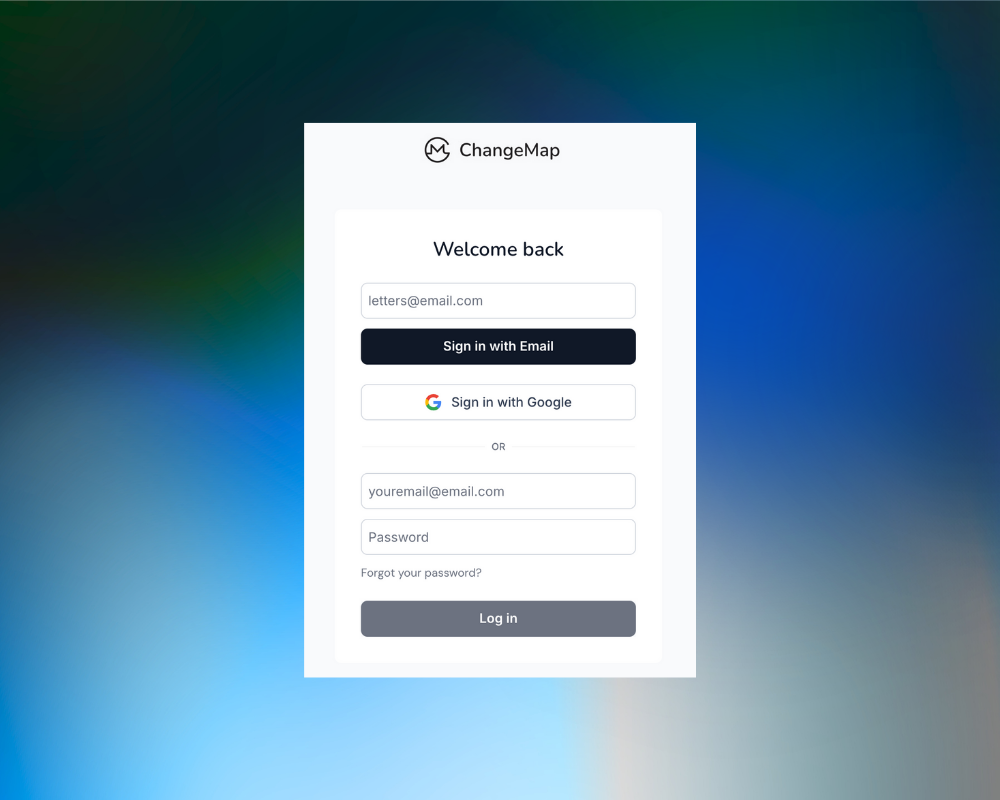
We’ve upgraded how you access ChangeMap to make login faster, simpler, and more secure.
🔐 Google Sign-In
You can now create an account or log in using your Google credentials—no password required. This is ideal for users on Google Workspace or anyone who prefers one-click authentication.
📩 Passwordless Magic Links
Email-based login now uses secure magic links instead of passwords. Enter your email → receive a one-time link → you’re in.
Benefits:
No passwords to remember or reset
More secure authentication
Faster login on any device
Zero disruption for current users—your account remains the same
🙌 For Existing Users
Your old password is no longer required for Magic Links. Just enter the email you’ve been using to log in. Magic links expire after 1 hour and can only be used once for security.
If you’ve registered using a Gmail account, you can switch to Google Sign-In at any time.
We’ll leave the existing password based login available for all users who previously created their ChangeMap account and prefer that method of logging in.
These updates reduce login friction and strengthen security across all ChangeMap workspaces. If you have feedback or run into issues, please let us know. We’re continuing to refine the experience based on your input.
November 21st, 2025
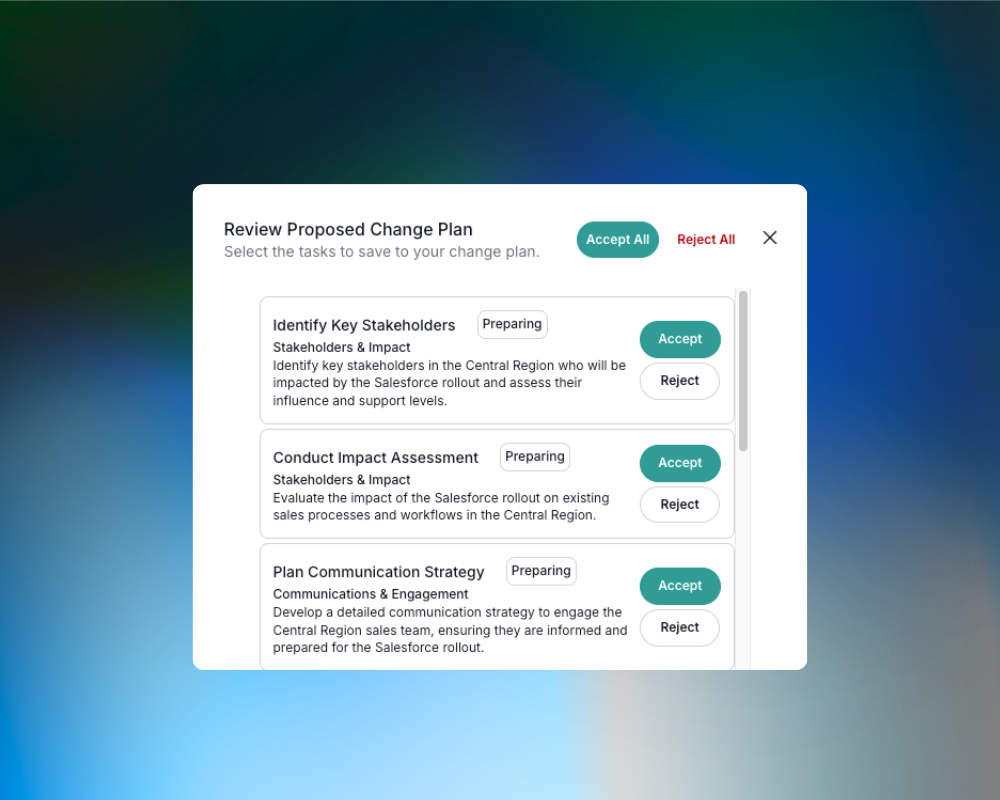
AI-Generated Task Review and Document Links
You can now review, accept, or reject the tasks generated by Luma, giving you full control over what gets added to your change plan.
You can now attach document links directly to tasks so everyone works from the same source. (Links open in your system of record; ChangeMap never accesses the underlying file.)

Centralized Support & Transparency
Access product support directly from the website and inside the app, including the Help Center, Feedback, Changelog, and Roadmap pages. Clearer visibility, faster answers. Logged in users inside the app can also access Support, our help desk, to report issues.
Find links in the footer of the website or, if your logged in, the question mark icon at the bottom of the nav bar.

Task Status Widget
A new home-page widget highlights what needs your attention:
Upcoming, Due Today, Overdue, and Milestone tasks. Everything in one place.
Expanded Quick Actions
Quick Actions on the Project home page now let you create any record in the system. Less navigation, more doing.